blog
What’s new – Event Monitoring v0.6
After having some feedback and seeing as some features were missing new version of Events Monitoring brings few of noticeable changes. You can go straight to Get-EventsLibrary.ps1 if you don't fancy reading up.
💡 What's new
There were several features added and **changes **to configuration file. Among others:
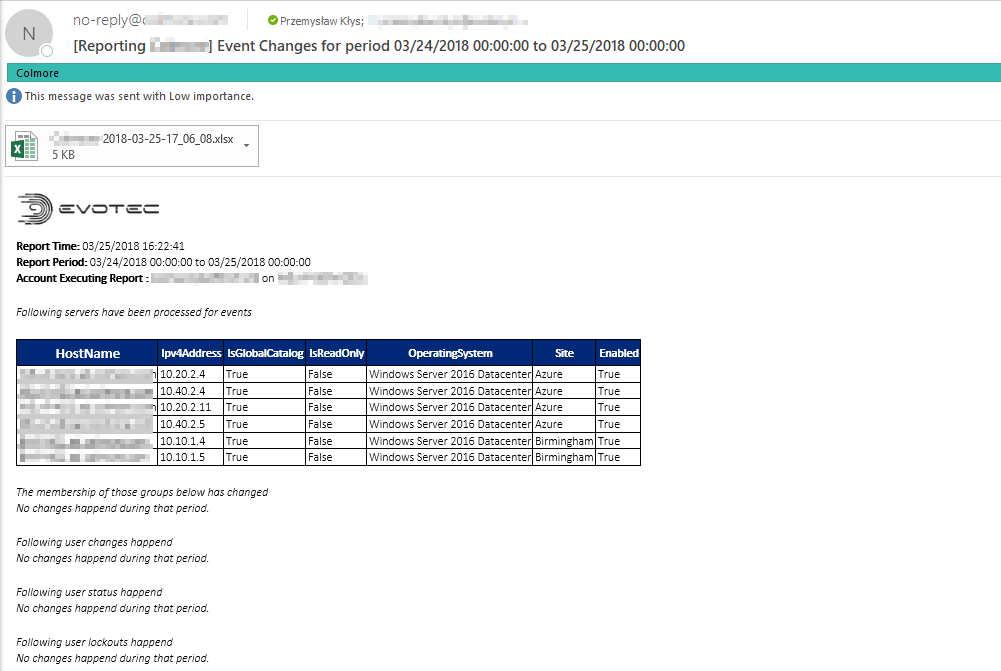
- Added option to fill out reports in excel files and attach them to email
- Added option to send via relay smtp (just put empty string in EmailServerLogin – probably port 25 but depends on configuration of server)
- Added verification if modules are available
- Added verification if Get-EventsLibrary.ps1 is available
- Added verification if configuration is consistent (all required options defined) – doesn't check for values – this should prevent possible issues with new versions of Get-EventsLibrary.ps1
- Added option report for** custom dates**
- Added option to choose AsHTML or/and AsExcel – you can have Excel attached along with tables inline in email or just one of those
It's highly advised to start configuration from template.
💡 Known Issues
At this moment there are several** not finished features**. The most visible are:
- Configuration options – IncludeLogonEvents are not working correctly
- **Configuration **options – IncludeDomainControllersReboots contains more information then needed
- Configuration options –** AsCSV** switch is not working
- Configuration options – KeepReports swich is not working yet (keeps reports saved by default)
💡 What's new – details
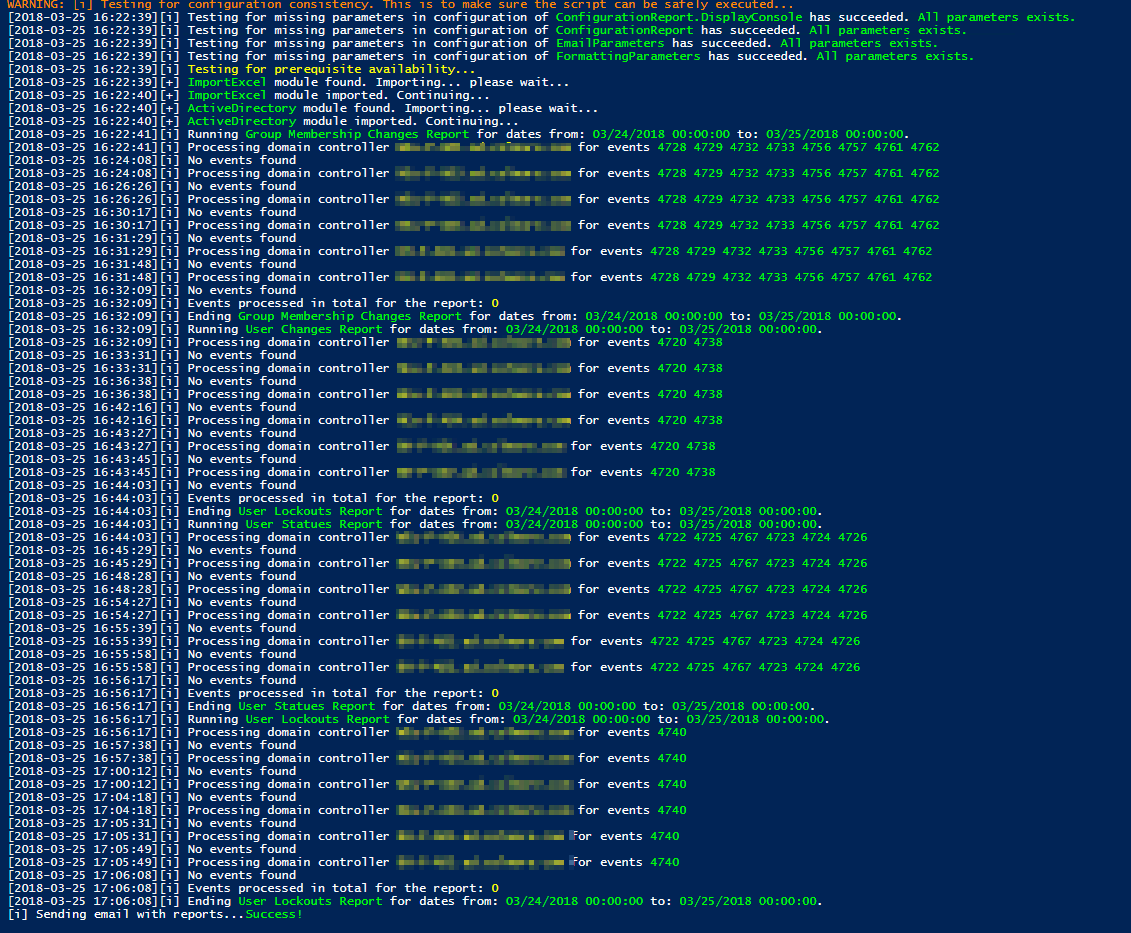
It should now be easier to configure the script and avoid errors in the process. Get-EventsLibrary.ps1 since 0.6 version tries to detect possible errors in configuration as seen below:

It checks for availability of ActiveDirectory and ImportExcel modules along with checking if AD Domain Controllers are available on the machine running this script. I've also added some logging capabilities so that it can display how things are going…
After the email is sent one can easily review it by checking the email or attached Excel file (with tabs) with changes.