blog
Update-Module – PackageManagement\Install-Package : Unable to find repository
I was installing newest version of my PSWinDocumentation module on Windows 2016 when I noticed I can't really get anything to update. I was getting message as below which seemed a bit weird because it was working few minutes ago and only thing I did is to change trust for PowerShellGallery.
Set-PSRepository -Name 'PSGallery' -InstallationPolicy Trusted
💡 What isn't working?
PackageManagement\Install-Package : Unable to find repository ‘https://www.powershellgallery.com/api/v2/'. Use Get-PSRepository to see all available repositories. At C:\Program Files\WindowsPowerShell\Modules\PowerShellGet\2.0.1\PSModule.psm1:13000 char:20
- … $sid = PackageManagement\Install-Package @PSBoundParameters
- ~~~~~~~~~~~~~~~~~~~~~~~~~~~~~~~~~~~~~~~~~~~~~~~~~~~~
- CategoryInfo : ObjectNotFound: (Microsoft.Power….InstallPackage:InstallPackage) [Install-Package], Exception
- FullyQualifiedErrorId : SourceNotFound,Microsoft.PowerShell.PackageManagement.Cmdlets.InstallPackage
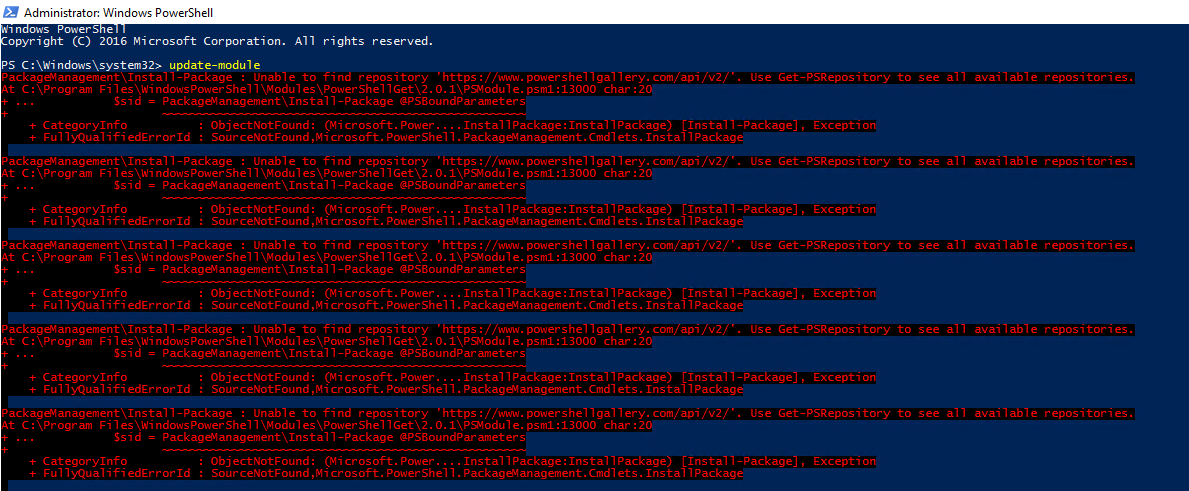
PackageManagement\Install-Package : Unable to find repository 'https://www.powershellgallery.com/api/v2/'. Use Get-PSRepository to see all available repositories.
At C:\Program Files\WindowsPowerShell\Modules\PowerShellGet\2.0.1\PSModule.psm1:13000 char:20
+ ...           $sid = PackageManagement\Install-Package @PSBoundParameters
+                      ~~~~~~~~~~~~~~~~~~~~~~~~~~~~~~~~~~~~~~~~~~~~~~~~~~~~
    + CategoryInfo          : ObjectNotFound: (Microsoft.Power....InstallPackage:InstallPackage) [Install-Package], Exception
    + FullyQualifiedErrorId : SourceNotFound,Microsoft.PowerShell.PackageManagement.Cmdlets.InstallPackage
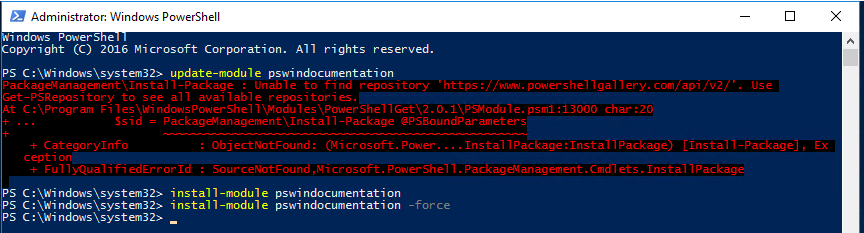
Trying suggested way I've verified that PSGallery settings are actually correct and as expected.

What was even weirder **Install-Module **worked as designed.
PS C:\Windows\system32> update-module pswindocumentation
PackageManagement\Install-Package : Unable to find repository 'https://www.powershellgallery.com/api/v2/'. Use
Get-PSRepository to see all available repositories.
At C:\Program Files\WindowsPowerShell\Modules\PowerShellGet\2.0.1\PSModule.psm1:13000 char:20
+ ...           $sid = PackageManagement\Install-Package @PSBoundParameters
+                      ~~~~~~~~~~~~~~~~~~~~~~~~~~~~~~~~~~~~~~~~~~~~~~~~~~~~
    + CategoryInfo          : ObjectNotFound: (Microsoft.Power....InstallPackage:InstallPackage) [Install-Package], Ex
   ception
    + FullyQualifiedErrorId : SourceNotFound,Microsoft.PowerShell.PackageManagement.Cmdlets.InstallPackage

PS C:\Windows\system32> install-module pswindocumentation
PS C:\Windows\system32> install-module pswindocumentation -force
PS C:\Windows\system32>
💡 How can I fix it?
While I've finally fixed this issue I'm not sure which of the steps I did had the right impact. Therefore… worst case scenario … do it all.
- 💡 Unregister and Register PowerShell Gallery
This actually unregisters PowerShellGallery and registers it back. This should work when the bug in PowerShellGet will be fixed.
Unregister-PSRepository -Name 'PSGallery'
Register-PSRepository -Default
- 💡 Unregister and Register PowerShell Gallery as an alternative
This actually unregisters PowerShellGallery and registers it back but as an alternative source. It adds missing **slash **so make sure you add it with **https://www.powershellgallery.com/api/v2/, **not **https://www.powershellgallery.com/api/v2**
Unregister-PSRepository -Name 'PSGallery'
Register-PSRepository -Name 'PSGallery-Alternative' -SourceLocation 'https://www.powershellgallery.com/api/v2/' -InstallationPolicy Trusted
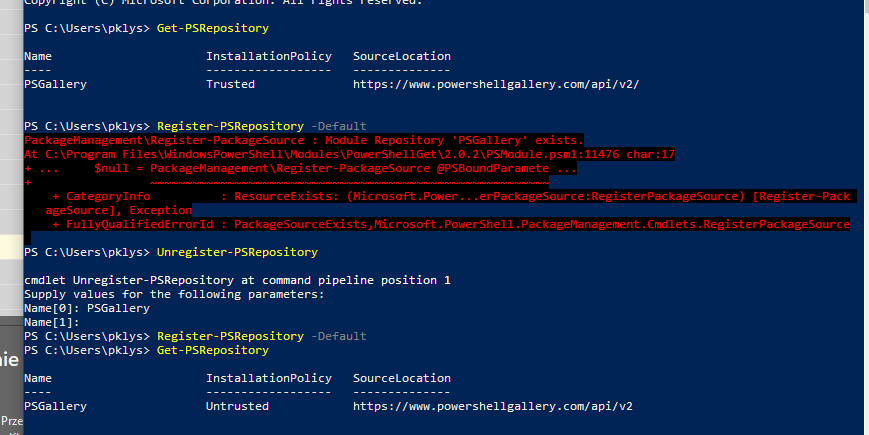
This issue can be visible on the screen below. First, we have a working PowerShell Repository, then it's unregistered and when you register it back it's missing slash.
- 💡 Uninstall PowerShellGet module, install it back
Uninstall-Module PowerShellGet
Install-Module PowerShellGet -Force
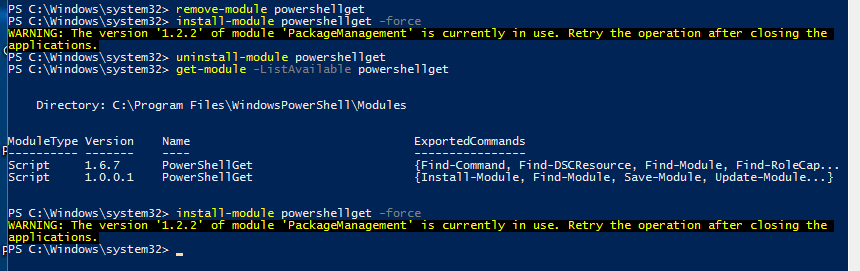
This is my top choice to fix this. I actually did this couple of times with closing PowerShell window and without getting always same message. Finally I went for reboot. Which makes sense because the very package responsible for updating was busy updating.
- 💡 Finally Reboot
As with any critical system problems a reboot is good way to have a clean start. Some settings can't update while system is running.